
QUICK SUMMARY
What you can do inside the Help Center
Start Fast with the First 7 Days Launch Guide
Use a simple rollout path to get your hall live quickly without overcomplicating setup.
Find Help by Category
Browse setup, SMS, loyalty, gamification, reporting, compliance, kiosk, and QR signup guidance.
Use Checklists and Templates
Reduce setup time with practical guides, campaign playbooks, and structured workflows.
Track Weekly KPIs
Learn what to monitor weekly to improve attendance, retention, campaign performance, and list health.
Contact Support with the Right Details
Share the right information up front so your issue can be resolved faster.
SEARCH THE HELP CENTER
Find the right topic faster
Use search to find help for
- SMS setup, opt-ins, and deliverability
- Campaign creation and automation
- QR signup and kiosk workflows
- Rewards setup and redemptions
- Reporting and exports
- Compliance and security guidance
GETTING STARTED
First 7 Days Launch Guide
Use this to go live quickly with a simple, effective setup
- Add your hall details and schedule
- Enable QR signup (and kiosk if used)
- Import your existing list (if available)
- Create your first weekly SMS reminder campaign
- Set up basic rewards (simple points or voucher offer)
- Review your weekly KPI dashboard checklist
- Confirm staff workflow for responding to player messages
HELP CATEGORIES
Browse guides by topic
1) Account & Setup
Guides for:
- Creating your account and locations
- Staff roles and access (if enabled)
- Basic settings and branding
Recommended articles:
- Account setup checklist
- Location setup for single vs multi-location
- Staff workflow basics
2) QR Signup & Kiosk
Guides for:
- Where to place QR codes inside your hall
- Best signup scripts for staff
- Kiosk enrollment and redemption workflows
- Common kiosk issues and fixes
Recommended articles:
- QR signup placement guide (door, table, counter, posters)
- Kiosk setup checklist
- Troubleshooting kiosk connectivity
3) SMS Marketing
Guides for:
- Building your SMS list
- Creating SMS blast campaigns
- Scheduling reminders and event sequences
- Two-way texting best practices
- Opt-out handling and list hygiene
Recommended articles:
- Weekly reminder campaign playbook
- Event night campaign sequence template
- Two-way texting reply guidelines
- Deliverability checklist
4) Automated Campaigns (Drips)
Guides for:
- New player welcome sequences
- Reminder sequences
- Win-back sequences (reactivation workflows)
- Timing and messaging rules
Recommended articles:
- New player welcome sequence template
- 48-hour + 3-hour reminder sequence
- Reactivation sequence framework (7/14/30 days)
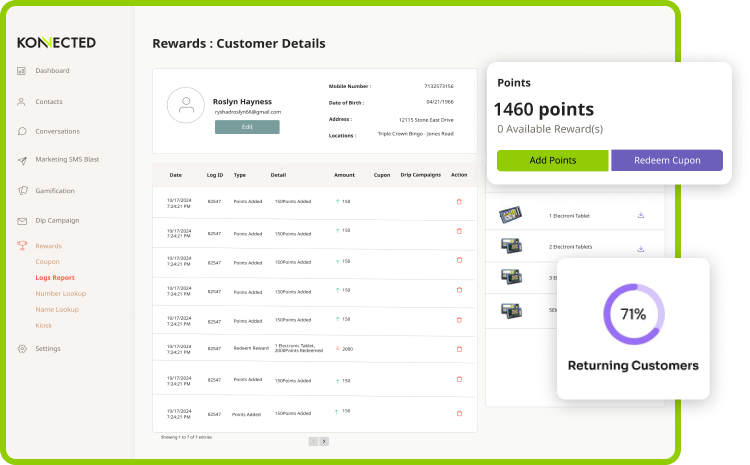
5) Loyalty & Rewards
Guides for:
- Setting points rules
- Building reward offers
- Coupon/voucher promotions
- Redemption workflows and staff handling
- Common loyalty program mistakes
Recommended articles:
- Points and rewards setup checklist
- Voucher campaign examples
- Redemption workflow best practices
6) Gamification
Guides for:
- Spin-to-win campaign setup
- Prize ladder design and rules
- Preventing abuse and keeping promos fair
- Campaign timing ideas
Recommended articles:
- Spin-to-win setup checklist
- Prize ladder examples
- Promo rules and anti-abuse guidelines
7) Reporting & Exports
Guides for:
- Campaign performance reporting
- Weekly KPI checklist
- Exporting results for internal review
- Multi-location reporting (if used)
Recommended articles:
- Weekly KPI checklist
- Exportable reporting guide
- Campaign performance interpretation guide
8) Compliance & Security
Guides for:
- Messaging consent and opt-out handling
- Data privacy basics
- Operational accountability and clean records
- Security best practices
Recommended articles:
- SMS consent basics and opt-out handling
- Security overview and best practices
- Reporting readiness checklist
WEEKLY KPI CHECKLIST
What operators should track every week
| KPI | What it tells you | What to do with it |
|---|---|---|
| New signups | Growth | Increase QR placement and staff scripts |
| Visit frequency | Habit strength | Create VIP offers and consistency campaigns |
| Last visit | Churn risk | Trigger win-back messages |
| Campaign results | What worked | Repeat winning promos, remove weak ones |
| Redemptions | Offer value | Improve rewards and keep offers simple |
| Replies | Engagement | Use two-way texting scripts for conversions |
| Opt-outs | List health | Reduce frequency and increase relevance |
GET SUPPORT FASTER
Include the right details in your support request
When contacting support, include
- Your hall name and primary contact
- The feature you need help with (SMS, loyalty, kiosk, reporting)
- Screenshots (if possible)
- The exact steps that caused the issue
- Time of issue and whether it is still happening
- If related to messaging: the phone number used for signup and the campaign name
WAYS TO GET HELP
Choose the right type of support
| Option | Best for | Response style |
|---|---|---|
| Help Center guides | Self-serve answers | Immediate |
| Support request | Technical or account questions | Assisted resolution |
| Guided demo | Evaluating setup and best practice | Walkthrough + plan |
| Onboarding session | Faster rollout | Structured launch plan |
POPULAR LINKS
Jump to the pages operators use most
Core Pages
Operator Resources
Need help with setup, campaigns, or reporting?
Use the Help Center for quick answers, contact support for troubleshooting, request a demo to see workflows, or request pricing for your hall and locations.

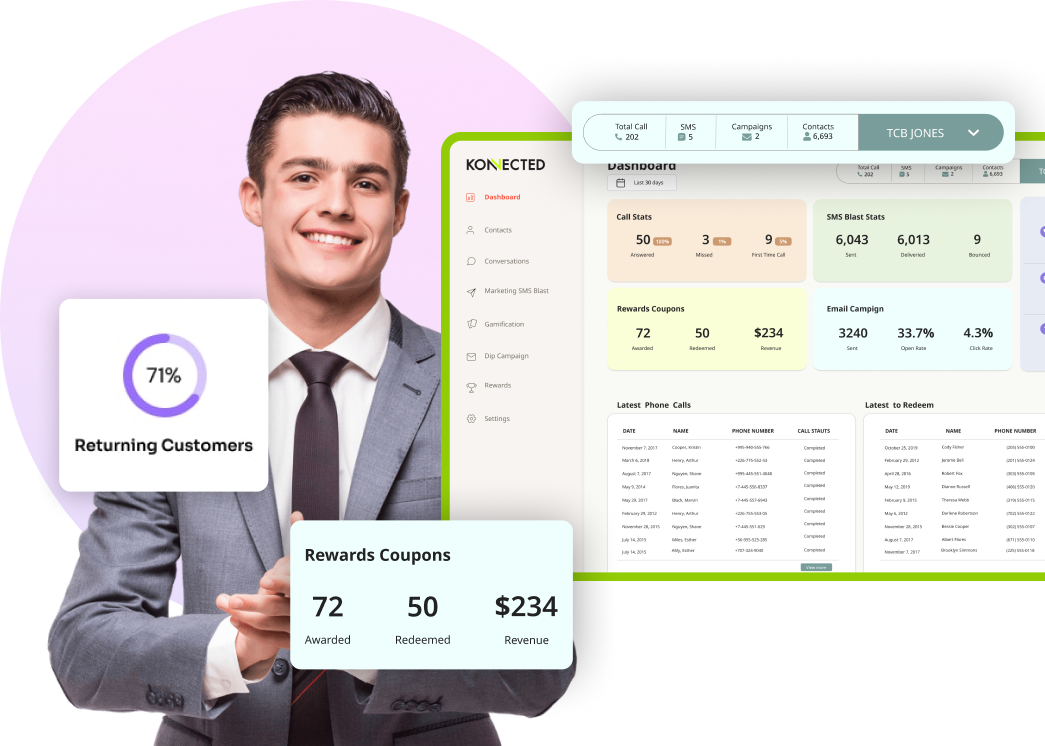
The Konnected App transformed our bingo hall! Rewards are easy to set up, players love SMS updates, and the analytics give us valuable insights. Attendance and satisfaction have soared!